
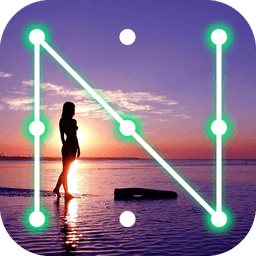
Screenshots
About pattern lock screen
Lock your phone with style using pattern lock screen technology that combines security with stunning visuals. This customizable lock screen app lets you replace your default lock interface with a beautiful, personalized design that reflects your unique style—whether you prefer photo-based patterns, sleek modern designs, or classic slide-to-unlock functionality.
Personalize every detail of your lock experience. Set your own photos as lock patterns—display pictures of loved ones, your baby, friends, or favorite images in custom-shaped buttons styled as hearts, stars, diamonds, circles, or apples. Create separate images for each lock button, crop and resize them to perfection, and choose from multiple HD wallpapers or dynamic wallpapers from the built-in repository. You can even customize the colors and fonts of your time and date display to match your aesthetic.
Choose from two lock screen types: photo pattern lock screen for maximum personalization, or traditional pattern lock screen for classic security. The app supports Samsung Galaxy S8 styling and modern Android OS 11 lock screen aesthetics, complete with smooth slide-to-unlock gestures. Whether you're protecting a power button that's hard to press or simply want an extra layer of security, the screen-off feature (via system admin activation) adds practical protection alongside visual appeal.
Performance and efficiency matter. This lock screen is optimized for battery usage, consuming minimal power while delivering a live wallpaper HD experience. It works seamlessly on phones and tablets, supports over 50 languages, and includes a widget for your home screen to adjust settings with ease. A real-time clock and date display keep you informed at a glance, while battery health information appears directly on your lock screen.
Setup takes just minutes: enable the lock screen, disable any system lock conflicts, choose your preferred wallpaper, and upload your custom photos to the buttons. If you want the screen-off feature, simply activate system admin permissions—that's it. The app is designed to be fast, simple, and beautiful from the moment you install it.
Whether you're seeking enhanced security or just want a lock screen that stands out, pattern lock screen delivers both in one elegant package. Download now and transform your phone's first impression.
Pros & Cons
Pros
- Highly customizable lock screen with photo uploads and shape options
- Optimized for battery efficiency with minimal power consumption
- Supports over 50 languages and works on phones and tablets
- Quick setup process without complex configuration steps
Cons
- Requires system admin permissions for screen-off protection feature
- May conflict with existing device lock settings during setup
- Photo pattern lock is less secure than traditional PIN or pattern locks
- Custom photo buttons could slow unlock process compared to standard methods
Related Apps

HWiNFO
Hardware monitoring for Windows—track CPU temp, GPU load, fan speed, voltage in real time.

TransMac
Read Mac drives and DMG files on Windows. Access APFS/HFS+ storage and create disk images.

Advanced SystemCare Free
System optimization tool: clean, repair, and secure your PC. Remove malware, fix errors, and boost performance.

Display Driver Uninstaller (DDU)
Driver uninstaller for GPU and audio — removes residual files for clean Windows updates

Glary Utilities
PC maintenance and optimization suite — clean, repair, and speed up your Windows computer in one action.

Universal ADB Drivers
ADB drivers for Android: Connect any smartphone to Windows PC without manufacturer software.
Latest Articles

7 best apps for birthday reminders on Android in 2026
Jul 12, 2026

Best apps for D&D character sheets on Android in 2026 (7 tested)
Jul 12, 2026
Best apps for gaming on integrated graphics for desktop in 2026 (we tested 7)
Jul 12, 2026
Best apps for live sports streaming on desktop in 2026
Jul 12, 2026

Best apps for movie tracking on Android in 2026 (free and paid)
Jul 12, 2026